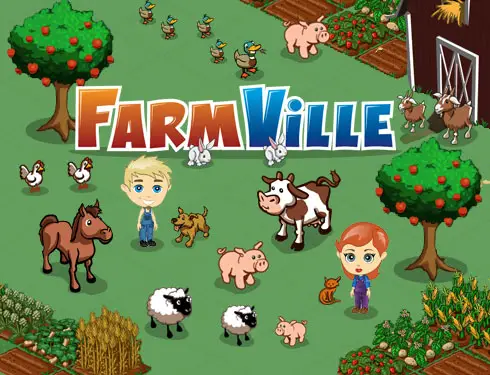
What's with all the apps and games focusing in farming? This point hit home for me when attending the Grace Hopper Celebration of Women in Computing and one of the meet-and-greet questions was whether you checked your farm before the event! At the time I had 3 farms to check so that was a box I signed for others! How can we harness this obsession in academics and computing? Planning for periods of inaccessibility (logic), most profit generated in a given period (math, estimation), artistic nature of crop placement (crop circles), and of course agricultural and geography knowledge of crops. Maybe I'll host an extra credit challenge :) I envision a class contest with the most decorative, the most profit generating, the most green, etc.
started the trend on Facebook, people were already spending hours catching up with friends, then they spent hours maintaining their farms
iPhone app
Apple's farming contribution, which is just as engaging (if you're profit minded) but had the audacity to download an auxiliary app (Game Center) to add the social networking piece.
The theme extends to cafes, bakeries, restaurants, shopping...anything that translates to buying and selling commodities.
Saturday, December 11, 2010
Friday, December 3, 2010
Beginning Programming
School is very different: I once worked with a man (not in an educational setting) who lamented the fact that schools don't teach what they did in the 1950's, which directly contributed to students and scientists' abilities to create the computer revolution: counting in bases other than 10, logic, games. Unfortunately our students are not receiving this same knowledge so before students can program we need to give them logic skills. The following are some activities that give pre-programming logic skills.
- iKnowThat Thinking Games: teach students problem solving skills with simple programming puzzles
- Pivot Stick Figure: highly addictive for students, element of story telling in addition to pre-programming
- CS Unplugged's Programming Languages lesson: introduces giving instructions in a precise order to achieve outcomes
Tech tools for class use
Ning: free Ning Mini for educators: http://about.ning.com/pearsonsponsorship/
iTeach: free website, course management, and more: iTeach.org
K12 High Speed Network: free tools for educators: k12hsn.org
Saturday, November 20, 2010
Thanksgiving Origami
![]() |
| Turkey origami courtesy of tammyyee.com |
I found a few origami crafts specifically for Thanksgiving that were available on websites. There are many more resources on YouTube, but it's blocked by the district filter. My next project will be figuring out how to transfer videos from YouTube to TeacherTube...out of sheer necessity and frustration!
Update 11.22.2010: most students enjoyed the online coloring sites and didn't try the origami on the first day. This reminds me of the coloring phase I experienced as an adult because it was relaxing. I had forgottnen that coloring was to become part of my classroom management plan :)
For the students who did make some origami, they were also engaged and completed a few projects to take home. Lesson could not have gone better!
Friday, November 19, 2010
Holiday e-Cards...Thanksgiving edition
Will have students in my after school class use Scratch to create e-cards (electronic cards) ala Hallmark e-cards. Thanksgiving edition is practice for a Christmas extravaganza!
Gobble, Gobble (to the tune of Master P "Drop it, Drop it"
Gobble, Gobble
Shake 'n' Bake it
Cooking dumplings / Hushing puppies
Ate it, ate it!
Turkey images
Gobble, Gobble (to the tune of Master P "Drop it, Drop it"
Gobble, Gobble
Shake 'n' Bake it
Cooking dumplings / Hushing puppies
Ate it, ate it!
Turkey images
- http://dclips.fundraw.com/zobo500dir/pollo_architetto_frances_01.jpg
- http://www.thethanksgivingideas.com/images/thanksgiving_clipart_06.gif
- http://www.kenilworthschools.com/kenilworth/Harding%20Elementary%20School/Classes/Fifth%20Grade/Mrs%20Jernigan/___zumuhead.html_files/thanksgiving_turkey2.gif
- http://www.addictedtosaving.com/wp-content/uploads/2010/08/shake-n-bake.jpg
- http://gastrogirls.files.wordpress.com/2008/10/prosperity_cooking-the-dumplings.jpg
- http://www.epicurious.com/images/recipesmenus/2008/2008_january/241202.jpg
- http://www.fotobank.ru/img/SF06-0041.jpg?size=l
Wednesday, November 17, 2010
Robotics are the new Computer Science
At the Grace Hopper Conference 2010 I attended a workshop on getting girls in grades 4-12 excited about computing, and 2 of the 4 technologies featured used robotics of some sort.
Scratch & Alice are programming languages, and allow students to make incredible animations (2D and 3D respectively) limited only by their imaginations.There are lots of programming challenges for students to participate in throughout the year to really flex their programming muscles.
Pico Cricket & Pleo Dinosaur kits were passed around for us to program and play with...total fun! During a meeting with my peer computer teachers I also learned about Pico Boards, which are like Pico Cricket connections but powered by Scratch...totally awesome...gotta get a few!!!
Then this article about a robotics lesson plan came in my e-mail and I now know that robotics are the next big thing in student computing. Of course it makes sense: artificial intelligence has remained behind the scenes in computing, we have a number of domestic robots (the vacuumers and floor cleaners, and toys) that make us more comfortable with independently operating machines. So the next wave of computers is to develop programmers who are comfortable and familiar with robotics. This means we technology teachers have to step our game up!
Scratch & Alice are programming languages, and allow students to make incredible animations (2D and 3D respectively) limited only by their imaginations.There are lots of programming challenges for students to participate in throughout the year to really flex their programming muscles.
Pico Cricket & Pleo Dinosaur kits were passed around for us to program and play with...total fun! During a meeting with my peer computer teachers I also learned about Pico Boards, which are like Pico Cricket connections but powered by Scratch...totally awesome...gotta get a few!!!
Then this article about a robotics lesson plan came in my e-mail and I now know that robotics are the next big thing in student computing. Of course it makes sense: artificial intelligence has remained behind the scenes in computing, we have a number of domestic robots (the vacuumers and floor cleaners, and toys) that make us more comfortable with independently operating machines. So the next wave of computers is to develop programmers who are comfortable and familiar with robotics. This means we technology teachers have to step our game up!
Thursday, November 4, 2010
Adding Interactive Lessons
I now have to practice what I preach: I have a severely learning disabled student in my class for whom I CANNOT give text-based lessons. In addition we read an article in our staff meeting about the purpose of homework and types and length of assignments we should give students. All of this coalesced in my looking for interactive lessons on cyber safety.
- BBC WonderWebWorld
Impressed by Dance Mat Typing I Google'd "bbc internet safety" and found this site. - TEA - Internet Safety - Activities and Lessons
Texas once again leading the way with links to really great resources - Teachers First
Haven't reviewed because the first few were already on TEA site - DMOZ
Really came through on interactive sites
Subscribe to:
Posts (Atom)
